
ZYPLC Blog
GE Fanuc RX3i Spares: CPU and Backplane Evidence Before a PLC Recovery
A PACSystems RX3i CPU failure can freeze a machine cell, but the CPU is only one part of the recovery. Firmware, backplane, power, Ethernet settings, memory, project backup, I/O modules, and controller role all decide whether the spare can restart the equipment safely. ZYPLC readers need a CPU RFQ that helps controls engineers as much […]
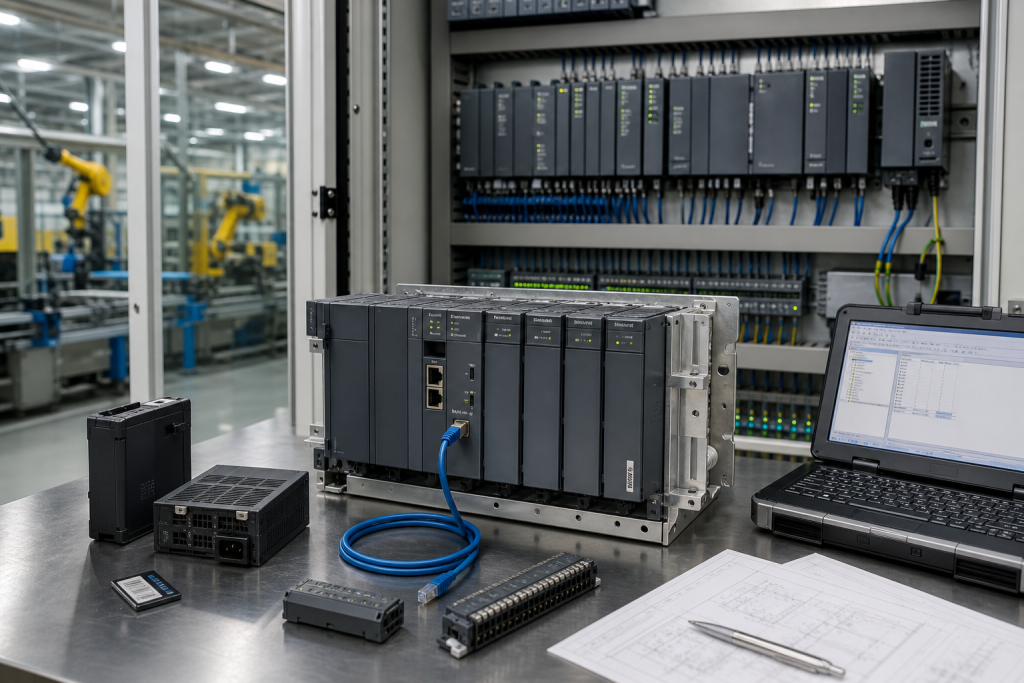
A PACSystems RX3i CPU failure can freeze a machine cell, but the CPU is only one part of the recovery. Firmware, backplane, power, Ethernet settings, memory, project backup, I/O modules, and controller role all decide whether the spare can restart the equipment safely.
ZYPLC readers need a CPU RFQ that helps controls engineers as much as buyers. A similar RX3i processor may look close in a product list, but a rushed replacement without project and rack evidence can create another outage.
Capture The Installed Controller Context
Record CPU model, firmware, rack, backplane, power supply, Ethernet ports, IP address, memory, project backup, I/O list, remote drops, HMI and drive links, and the machine function controlled by the rack.
The live GE Fanuc IC695CPU310 RX3i reference is a product match for CPU recovery. Compare firmware, rack role, project compatibility, Ethernet settings, and installed function before approval.
Photograph the CPU label, rack, power supply, Ethernet cables, memory device, adjacent modules, cabinet environment, diagnostic LEDs, and any fault or project status screen.
A Nearby CPU Is Not Automatically Equivalent
The CPU family, firmware level, memory, port behavior, performance, and project support can differ. Treat a processor change as a controls decision, not a cosmetic part swap.
The related GE Fanuc IC695CPE305 RX3i CPU reference is useful for comparing RX3i processor options, but it still requires project, firmware, rack, and communications review.
Ask suppliers to quote exact, tested exchange, refurbished, and substitute CPU options separately. Include firmware evidence, actual condition, warranty, dispatch timing, and configuration support assumptions.
Restart Testing Should Include The Machine
After replacement, verify CPU boot, firmware, project restore, Ethernet communication, I/O recognition, remote drops, HMI and drive links, alarms, interlocks, recipe data, and the approved dry run.
If the rack boots but the machine does not behave correctly, review project version, IP address, I/O mapping, field power, HMI tags, drive communications, and downloaded parameters.
Store the CPU with a project-backup note, firmware evidence, rack photos, I/O list, network map, and final restart approval.
What Makes The RFQ Actionable
Send CPU labels, rack and power photos, firmware, project backup status, Ethernet settings, I/O list, condition requirement, test scope, and restart deadline.
Ask for actual-item photos, not only a product-family statement. Connector condition, battery or memory scope, and firmware notes can change installation risk.
For modernization, keep direct CPU replacement and migration separate. A migration may be smart, but it needs software conversion, validation, and a longer outage plan.
The useful discipline is to keep identity, function, and approval separate. Identity says what the part is. Function says what the plant expects it to restore. Approval says who can accept the risk when one detail differs.
For older control systems, the cheapest mistake is usually made before the order: a photo is missing, a firmware note is assumed, a cable is treated as generic, or a tested exchange is compared with an untested used item. Those small gaps become expensive only when the cabinet is open.
Ask for actual-item photographs when the schedule is tight. Front labels, side labels, terminals, connectors, latch points, power markings, and accessory scope often reveal more than a polished catalog description.
The purchasing record should travel with the spare after it arrives. If the item goes into stores without the evidence that justified the purchase, the next maintenance team has to repeat the same work under worse conditions.
Do not let the word compatible replace engineering judgment. Compatible can mean electrically similar, physically similar, repairable, configurable, or only suitable after a migration review. Spell out which meaning applies.
A good spare plan also names the fallback. If the replacement fails bench checks or field acceptance, the plant should know whether it will reinstall the old item, use a repaired exchange, isolate a noncritical function, or escalate to a migration decision.
The article topic should also connect to real search intent. Maintenance engineers are usually not searching for theory; they are searching because a rack, network segment, safety channel, drive axis, or loop is already fragile. Write the RFQ around that pressure.
Condition language needs discipline. New surplus, factory sealed, refurbished, repaired exchange, tested used, and untested used items do not carry the same risk. A buyer should ask which condition is being offered before comparing lead time or price.
Accessory scope is another common trap. Terminal blocks, memory cards, SFP modules, connectors, mounting clips, cables, batteries, license media, and configuration files may be outside the base item. Name them early so the spare can be installed, not merely received.
For critical equipment, the acceptance method should be written before the purchase order is approved. A loop test, axis jog, proof test, node diagnostic check, or network failover test tells the supplier and the plant what ready actually means.
Document the unresolved points openly. If firmware is unknown, configuration is unavailable, or a substitute requires engineering review, the RFQ can still move forward, but the risk should remain visible instead of disappearing into the quote notes.
This approach does not slow procurement down; it gives procurement something precise to send. A well-documented request usually gets a more useful response because the supplier can confirm exact stock, repair path, or substitute limits without guessing.
FAQ
What must match on an RX3i CPU spare?
Match CPU model, firmware, rack and backplane role, memory, Ethernet settings, project compatibility, I/O dependencies, and restart test.
Can another RX3i CPU replace it?
Only after firmware, project, performance, ports, memory, rack compatibility, and controls approval are reviewed.
What should the RFQ include?
Send labels, rack photos, firmware, project status, network settings, I/O list, condition requirement, and restart deadline.
What proves PLC recovery?
CPU boot, project restore, recognized I/O, stable network links, restored HMI/drive communication, alarms, interlocks, and approved dry run.
Send ZYPLC the GE Fanuc CPU labels, rack photos, firmware and project status, Ethernet details, condition requirement, and restart deadline. We can help prepare a controlled RX3i spare RFQ.
© 2026 ZYPLC. All rights reserved. Official Website: https://zyplc.com Inquiry: plc.sales@zyplc.com | WhatsApp/Tel: +86 19859288691