
ZYPLC Blog
SIMOTION Memory Cards: Preserve Machine Data Before a Replacement
A practical SIMOTION spare guide for memory cards, interface modules, machine data backups and controlled motion-system recovery.
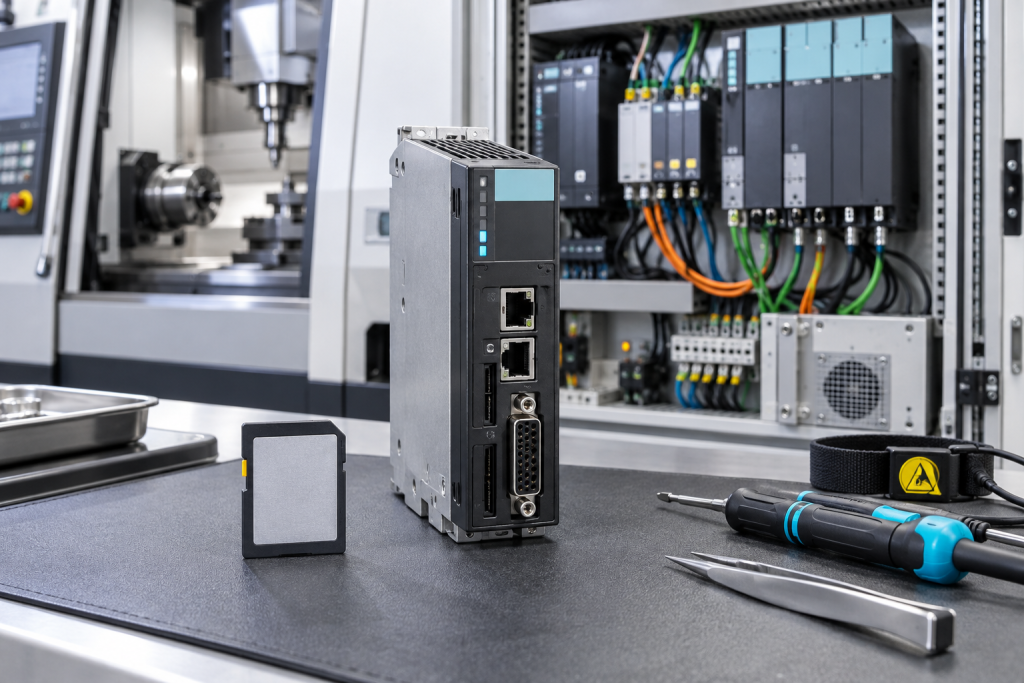
Motion systems often fail quietly in the procurement file before they fail on the machine. A controller may still run, but the only memory card containing approved machine data is unavailable, undocumented or approaching the end of its practical service life. Siemens and other automation suppliers are moving engineering toward more connected, adaptive production; that makes the integrity of old motion data more important, not less.
SIMOTION recovery is not just a matter of inserting a card. Machine data, technology objects, firmware, interface assignments, drive parameters and the commissioning sequence all have to line up. A small memory-card spare plan can protect a high-value machine if it is built around a tested backup and a known restore procedure.
Inventory the complete motion package
Record the SIMOTION controller, firmware, memory card order number, drive system, technology objects, connected PLC or HMI, interface modules and machine role. Photograph labels and card orientation. Record whether the card is used for boot, project storage, technology data or service transfer. Similar-looking cards can have very different functions.
Export the approved project, machine data, drive parameters and supporting libraries from the authorized engineering workstation. Store checksums, revision and owner. A backup that has never been restored is an assumption. Open it in a controlled environment and document missing licenses, hardware catalogs or engineering tools.
Separate card, interface and drive causes
When a machine will not boot or loses motion data, check power, card contacts, controller diagnostics and the interface path. Review whether the fault is repeatable after a cold start, a warm restart or a controlled card reseat. Preserve the original diagnostics before resetting. A corrupt card, a bad contact and a missing interface can produce similar operator symptoms.
The Siemens 6AU1400-2PA02-0AA0 SIMOTION memory card must be matched to controller family, capacity, firmware and the site’s restore procedure. Ask whether the card is new, tested used or repaired, and what data or hardware test was actually performed. A blank card may be a useful service item but it is not automatically a recovery-ready card.
The Siemens 7TL4400-0/CC interface module should be checked against the station role, connector, communication path and configuration. If motion and PLC symptoms appeared together, prove the interface before buying a second card.
Make restore evidence part of the spare
Define the restore sequence before the outage: isolate the machine, verify card identity, load approved data, check firmware, establish communication, reference axes and test a controlled move. Record who approves the first motion. If a supplier cannot test the complete machine, state the bench test scope and the site checks that remain.
After installation, verify controller diagnostics, technology objects, drive enable, axis reference, limits, safety interlocks, HMI values and recipe behavior. Do not close the job because the controller reaches RUN. A motion system is recovered only when it can execute the approved sequence under a controlled test.
Keep the original card and removed interface tagged until the review is closed. Retain the old data file and compare it with the restored version. This protects against a subtle mismatch that appears only after production changes speed, recipe or tool.
For aging machines, assign a bridge date and review the motion package at the same time as the hardware lifecycle. A future migration may change the controller, but the historical machine data still has to be interpreted. The people, software and spare card are one recovery capability.
Keep the memory card with a controlled record of its data state. A card identified only by capacity can be mistaken for a card containing the right machine package. Note the last restore test, the source workstation, the engineering software version and any data that must be re-entered after a replacement.
During a planned recovery, compare axis reference, drive enable, technology objects, HMI values and recipe behavior before allowing normal production. If the interface module or card is changed, document the communication checks separately. This makes it possible to distinguish a data issue from a drive or field-device issue.
When the machine is eventually modernized, retain the old data package and its revision history. The historical values often explain why a new motion profile behaves differently. A spare plan that preserves this evidence reduces commissioning risk during both emergency repair and planned migration.
Questions maintenance teams usually ask
Can a blank SIMOTION card recover a machine?
Only if the authorized project and machine data can be restored and the card matches the controller, firmware and commissioning procedure.
What should be backed up besides the project?
Save machine data, technology objects, drive parameters, firmware context, libraries, licenses, HMI files and the approved restore steps.
Why include an interface module in the RFQ?
Because communication and motion symptoms can share a path. The module, connector and station role must be proven before replacement.
What should an urgent SIMOTION request contain?
Include controller and card numbers, firmware, machine role, symptom, data availability, condition expectation, photos, quantity and required date.
Protect the data that makes old motion hardware useful
A SIMOTION spare is valuable when it carries a verified route back to production. Preserve the data, match the interface and make the restore test explicit before the outage begins.
Send the controller labels, backup details and required date to ZYPLC. We can help verify the card and interface match and prepare a practical quotation.
© 2026 ZYPLC. All rights reserved. Official Website: https://zyplc.com Inquiry: sale@zyplc.com | WhatsApp/Tel: +86 187 5021 5667
Continue reading
Related sourcing guides
 Oct 14, 2026
SIMOTION Phase-Out: Preserve Motion Data Before You Choose Migration
Siemens SIMOTION is reaching a 2026 phase-out milestone. Protect motion data, memory, control units, and recovery options before migration.
 Sep 15, 2026
Rexroth IndraDrive Spares: Servo Drive and Controller Evidence Before Axis Recovery
Servo-axis recovery is rarely solved by the drive name alone. For Rexroth IndraDrive systems, the spare request should describe the axis role, control section, power section, feedback cable, motor data, parameters, fault history, and the test that proves the machine can move safely again. ZYPLC readers support production equipment where a single unavailable axis can […]